Power BI vs Custom System Development: Which is Best for Your Malaysian Business?
When discussing data visualization and business dashboards, global brands like Power BI, Tableau, and Looker Studio are often the first to come to mind. These are world-class business intelligence (BI) software offering powerful analytics and premium graphic capabilities.
However, we frequently receive a specific question from local business owners and SMEs: "Are the custom system development services offered by WA.dev the same as these commercial BI tools?"
In short, while both approaches share the ultimate goal of helping management make data-driven decisions, they belong to entirely different solution categories.
Commercial BI software excels at processing and visualizing data that is already structured and existing in a centralized database. On the other hand, WA.dev’s custom web applications focus on solving operational bottlenecks from the ground up. We build complete ecosystems where your staff can input daily data systematically, automate workflows, and subsequently project those real-time insights onto an integrated management dashboard.
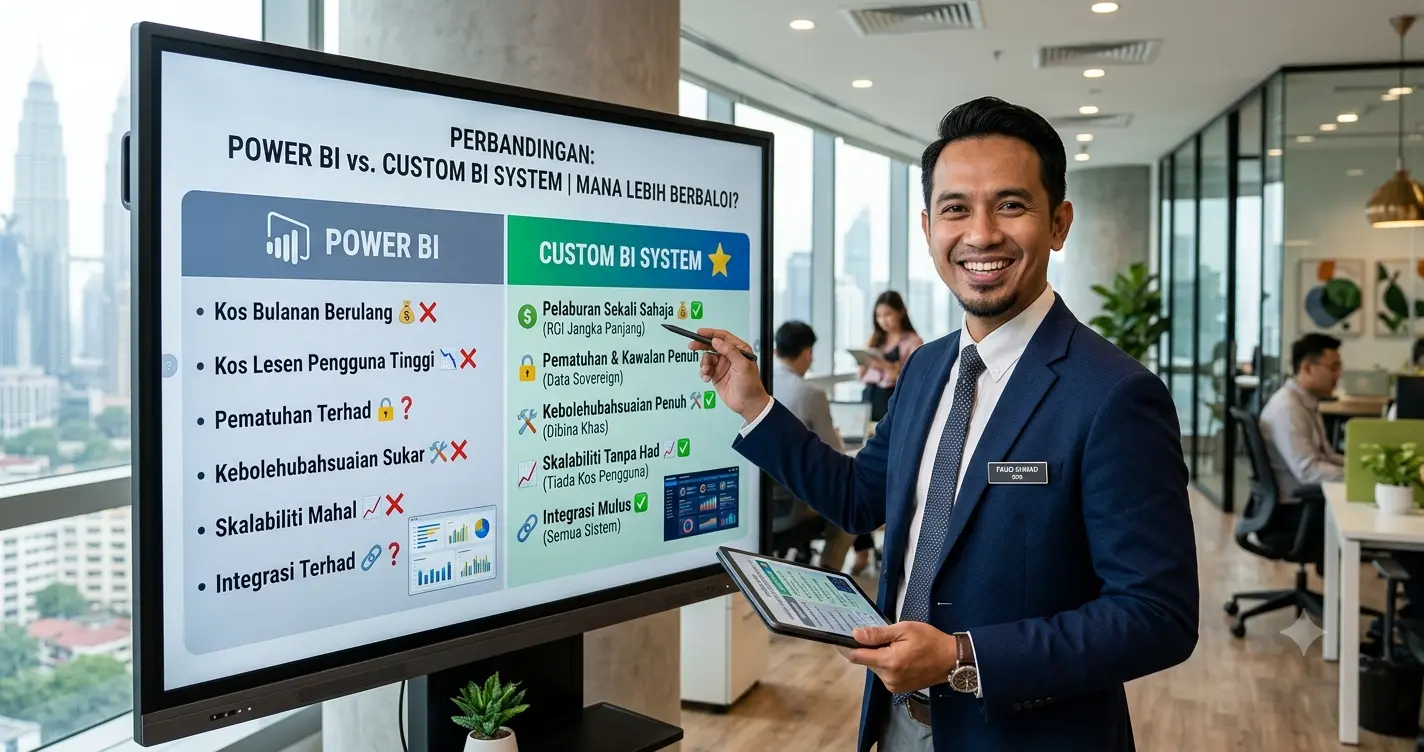
The table below breaks down the key dimensions between commercial BI software and WA.dev’s custom-built solutions, helping you choose the right digital investment for your company:
| Features & Dimensions | Power BI | Tableau | Looker Studio | Metabase | WA.dev (Custom System) |
|---|---|---|---|---|---|
| Core Focus & Function | Advanced visualization heavily integrated with the Microsoft ecosystem. | Deep data analytics with premium, complex graphic displays. | Quick reporting specifically optimized for the Google ecosystem. | User-friendly data exploration using natural language queries. | End-to-End Solution: Combines operational management modules (data entry) with a reporting dashboard. |
| Investment & Cost Model | Monthly subscription based on the number of users (Per-User License). | Premium monthly subscription (generally suited for enterprise scale). | Free (tied to Google’s cloud services). | Free (Self-hosted) or monthly cloud subscription. | One-Time Development Cost: No recurring, burdensome per-user licensing fees for the long term. |
| Data Entry Capabilities | Strictly reads data from external sources. No data entry function. | Only extracts data from existing databases. | Reads data from Google Sheets, Analytics, or BigQuery. | Pulls and visualizes data directly from connected databases. | Built-In Operations: Fully equipped with customized input forms for records, invoices, inventory, or staff tasks. |
| Workflow Automation | Requires external platform integration (e.g., Power Automate). | Primary focus remains on visualization, not daily operational automation. | Does not support operational action automation. | Does not support automated workflow triggers. | Integrated Automation: Can be programmed to send automated WhatsApp/email notifications or update inventory statuses dynamically. |
| Technical Expertise Required | Requires a data analyst or expertise in DAX formulas. | Requires specialized IT professionals or Data Engineers for server configuration. | Very easy to learn for basic reporting. | Easy to configure for non-technical users. | Done-For-You Delivery: All technical development, UI/UX design, and database structuring are fully managed by us. |
| Data Security & Access Control | Comprehensive security features often require expensive Enterprise-grade licenses. | Highly robust, subject to the premium package subscribed. | Basic (Relies on Google account access management). | Moderate, sufficient for local server deployments. | Security by Design: Role-Based Access Control (RBAC) and data encryption (AES-256) are custom-built according to the client's organizational chart. |
Conclusion: Which Solution Fits Your Business Better?
There is no single "best" software for every situation. Choosing the right platform depends entirely on your company's current operational phase, technical readiness, and budget.
You should choose commercial BI software (like Power BI or Tableau) if:
Your business already has a solid data collection system, well-organized workflows, and company information neatly stored in a centralized database. These tools are highly valuable if you are willing to commit to recurring per-user licensing fees and have an in-house IT team (or data analysts) to maintain the reporting structures.
When should you consider WA.dev's Custom System Services?
If your company's daily operations are still scattered across various Excel spreadsheets, manual logbooks, or WhatsApp groups, and your staff lacks an official centralized platform for data entry. Serving clients across Malaysia—with a strong base in Kuantan, Pahang—WA.dev is the ideal choice if you want a system built entirely from scratch. We combine your operational workspace and management dashboard into one unified platform. Furthermore, the "one-time payment" model makes it a highly strategic and cost-effective move for your company's long-term growth.
If you are ready to transition from outdated data management methods to a structured, automated digital environment designed specifically for your business, reach out to us today for a professional business consultation.